
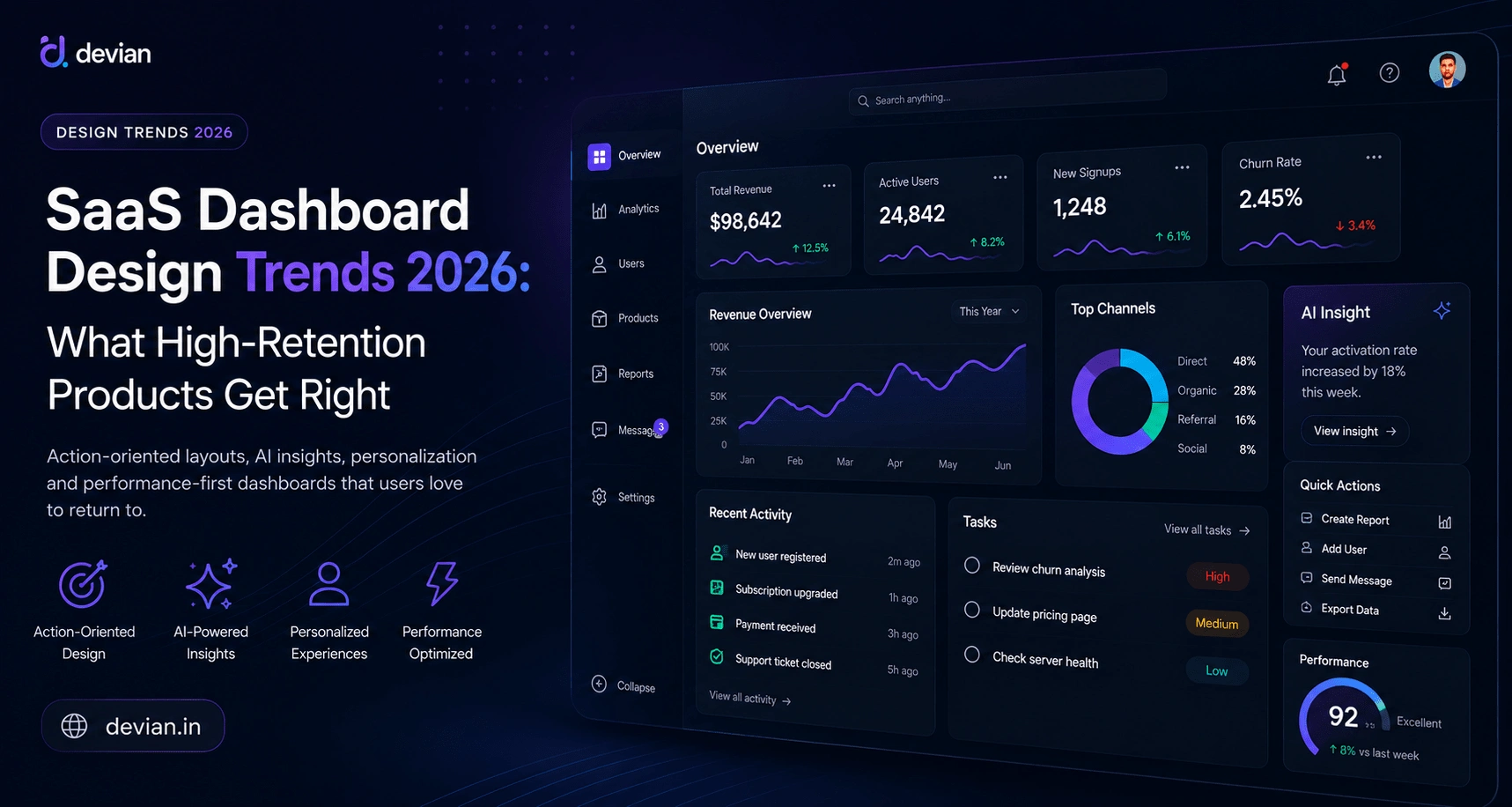
Most SaaS dashboards fail long before users cancel their subscription. They fail the first time someone signs in and spends thirty seconds searching for the one thing they actually came to do.
Teams often spend months debating charts, animations, widgets, and component libraries. Yet very little time is spent asking a much simpler question:
What decision should the user be able to make within the first ten seconds after opening this dashboard?
High-retention SaaS products answer that question exceptionally well. Their dashboards aren't designed to showcase data—they're designed to reduce friction. Every section exists for a reason. Every notification has context. Every metric leads naturally toward an action.
That's the biggest shift we're seeing going into 2026. Modern dashboard design is moving away from "show everything" toward "help users achieve something."
In this guide, we'll examine the dashboard design trends defining successful SaaS products in 2026, why they improve retention, and how product teams can apply these ideas without rebuilding their entire platform.
What Makes a Great SaaS Dashboard?
A great SaaS dashboard helps users complete their most important tasks with as little mental effort as possible. Instead of overwhelming people with charts and reports, it prioritizes clarity, speed, and actionable insights.
The best dashboards answer three questions almost immediately:
- What needs my attention right now?
- Am I making progress?
- What should I do next?
If users need several minutes to understand where to click or which KPI matters, the dashboard has already created unnecessary friction.
Why Dashboard Design Has Become a Retention Strategy
User retention isn't determined only by pricing, onboarding, or customer support. It is heavily influenced by the experience users have every time they return to your product.
Consider two analytics platforms with identical features.
One presents thirty widgets across a single page. Important alerts are buried beneath decorative charts, navigation requires several clicks, and every session begins with users figuring out where they left off.
The other immediately highlights anomalies, surfaces unfinished work, remembers the user's preferred view, and guides them directly toward their next action.
The second product doesn't necessarily have more functionality. It simply reduces the amount of thinking users need to do before becoming productive.
That reduction in cognitive load compounds over thousands of sessions, making the product feel easier, faster, and ultimately more valuable.
Trend 1: Action-Oriented Dashboards Replace Information Overload

Traditional dashboards were designed around reporting. Modern dashboards are designed around decision-making.
Showing twenty KPIs doesn't necessarily help users. In fact, it often creates the opposite effect. Every additional chart competes for attention, forcing users to determine which metric deserves their focus.
High-retention SaaS products intentionally reduce what appears on the first screen.
| Traditional Dashboard | Modern SaaS Dashboard |
|---|---|
| 20+ KPI cards | 3–5 primary indicators |
| Static reports | Actionable insights |
| Information first | Decision first |
| Generic widgets | Role-specific workflows |
The goal is not to remove data. It's to organize information according to user priorities instead of database structure.
Trend 2: Personalization Becomes the Default Experience

One dashboard cannot serve every user equally well.
A founder wants revenue, burn rate, and customer growth. A support manager needs unresolved tickets. Developers care about deployments, incidents, and system health. Marketing teams monitor acquisition, conversion, and campaign performance.
Presenting identical dashboards to every role inevitably means most users ignore half the interface.
High-performing SaaS platforms increasingly generate dashboards based on user roles, permissions, historical behaviour, and frequently used features.
Personalization is no longer a premium feature. It's becoming a baseline expectation.
Trend 3: AI Stops Being a Chatbot and Starts Being an Assistant

Almost every SaaS product now advertises AI capabilities, yet very few integrate it meaningfully into everyday workflows.
The products creating genuine value aren't adding another floating chat window. Instead, they're embedding intelligence directly into existing interfaces.
Imagine opening your dashboard and seeing:
- Revenue dropped 14% compared to last week.
- The decline is primarily caused by Enterprise customers.
- Five accounts show unusually low product activity.
- Suggested next step: contact these customers today.
That saves users from manually discovering patterns hidden across several reports.
Good AI reduces work. Bad AI creates another interface people learn to ignore.
Trend 4: Performance Is Now Part of User Experience

Dashboard performance used to be considered an engineering concern. Today, it's a design decision.
Every delay changes how users perceive the product.
Waiting three seconds for analytics feels considerably slower than waiting three seconds for a blog page because dashboards are interactive workspaces. Users expect immediate feedback after every action.
Successful SaaS products increasingly rely on:
- Skeleton loading
- Progressive rendering
- Optimistic updates
- Background synchronization
- Virtualized tables
- Incremental data fetching
- Client-side caching
These techniques don't just improve benchmark scores—they reduce waiting, preserve user flow, and encourage more frequent engagement.
Trend 5: Progressive Disclosure Makes Complex Products Feel Simple

One of the biggest mistakes product teams make is exposing every feature on day one. The intention is good—they don't want users to miss powerful functionality—but the result is usually the opposite. New users become overwhelmed before they experience their first success.
High-retention SaaS products reveal complexity gradually. This principle, often calledprogressive disclosure, keeps interfaces approachable while allowing experienced users to access advanced tools when they actually need them.
Instead of placing every filter, automation rule, integration, and report on the main dashboard, modern products expose them contextually.
- Advanced filters appear only after users search.
- Automation settings live beside repetitive workflows.
- Developer tools remain hidden from non-technical users.
- Reports expand naturally from high-level summaries.
The interface feels smaller without becoming less capable—a balance that dramatically improves onboarding and long-term usability.
Trend 6: Empty States Become Product Education

Every SaaS dashboard eventually displays an empty state.
No projects.
No customers.
No invoices.
No analytics.
Unfortunately, many products waste this opportunity with an illustration and a generic message saying "Nothing here yet."
High-retention products treat empty states as onboarding experiences rather than placeholders.
Instead of simply informing users that something is empty, they explain why the section matters and how to populate it.
| Poor Empty State | Effective Empty State |
|---|---|
| No data available. | Import your first customers to unlock analytics. |
| Blank chart | Interactive sample dataset with guided tour. |
| Illustration only | Video, documentation and one clear CTA. |
Good empty states shorten the time between signup and the user's first meaningful outcome.
Trend 7: Dashboards Explain Data Instead of Just Displaying It

Charts have become cheaper to build than ever before.
Understanding those charts hasn't.
Many dashboards assume users know how to interpret every spike, percentage, and trend line. In reality, most users simply want to know whether something requires their attention.
Modern SaaS products increasingly combine visualization with explanation.
Rather than displaying a chart showing a 23% decline, the dashboard explains what changed, why it likely happened, and what users should investigate first.
Data tells users what happened.
Insight tells them what to do next.
That distinction separates reporting software from decision-support software.
Trend 8: Mobile Dashboards Are Finally Becoming First-Class Experiences

For years, mobile dashboards felt like condensed desktop layouts. Every widget became smaller, every table became harder to read, and every interaction required unnecessary zooming and scrolling.
That approach no longer works.
Founders approve invoices from airports. Sales teams monitor pipelines between meetings. Customer success managers respond to alerts while travelling.
Mobile isn't a secondary platform anymore—it often becomes the fastest way someone interacts with your product.
Instead of copying desktop interfaces, successful SaaS products redesign workflows specifically for smaller screens.
- Single-column layouts.
- Large touch targets.
- Sticky primary actions.
- Condensed analytics.
- Offline-friendly interactions.
The goal isn't feature parity. It's decision parity.
Trend 9: Design Systems Become Competitive Advantages
As SaaS products grow, consistency becomes increasingly difficult to maintain.
Different teams build different components. Buttons behave differently. Tables adopt unique spacing rules. Forms validate inconsistently.
Users notice these inconsistencies long before product teams do.
Mature SaaS companies solve this through design systems—a shared language of reusable components, accessibility standards, spacing rules, interaction patterns, and documentation.
Beyond visual consistency, design systems also accelerate development. Engineers spend less time rebuilding UI patterns, designers solve fewer repetitive problems, and new features ship faster without sacrificing quality.
Real Products Getting Dashboard Design Right
Linear
Linear demonstrates how performance and minimalism can coexist. The interface avoids unnecessary decoration, allowing navigation to feel almost instantaneous. Every screen emphasizes workflow rather than visual complexity, making it a favourite among engineering teams.
Stripe
Stripe's dashboard succeeds because operational tasks remain close to the data that generated them. Revenue metrics, payment failures, disputes, and customer activity naturally connect to the actions users need to take, reducing unnecessary navigation.
Notion
Rather than forcing every team into the same workflow, Notion gives users modular building blocks. Teams create dashboards matching their own processes, increasing adoption because the workspace reflects how they already work.
GitHub
GitHub focuses on developer workflows instead of executive reporting. Pull requests, issues, code reviews, deployments, and notifications all reinforce daily habits, encouraging frequent return visits throughout the workday.
Common Dashboard Design Mistakes That Hurt Retention
Many SaaS products lose users not because of missing features, but because everyday interactions slowly become frustrating.
- Showing every KPI instead of prioritizing the important ones.
- Making navigation deeper with every new feature release.
- Displaying charts without explaining what changed.
- Ignoring performance until after launch.
- Using identical dashboards for every user role.
- Overusing animations that delay interactions.
- Failing to design useful empty states.
- Optimizing for investor demos instead of daily workflows.
Individually these problems seem minor. Together they create enough friction that users gradually stop opening the product.
A Practical Dashboard Design Checklist
Before launching or redesigning a SaaS dashboard, ask the following questions:
- Can users identify their next action within ten seconds?
- Does every chart help someone make a decision?
- Are dashboards personalized by role?
- Is the first screen free from unnecessary clutter?
- Does the interface perform well on slower connections?
- Do empty states educate users instead of confusing them?
- Can common workflows be completed on mobile?
- Does every notification include context?
- Is accessibility considered throughout the experience?
- Would removing a widget improve clarity?
If several answers are "no," improving the dashboard will likely produce a greater impact than adding another feature.
Building SaaS Products Users Want to Return To
Dashboard design has evolved far beyond arranging charts inside attractive cards.
The highest-retention SaaS products understand that every login is an opportunity to either reinforce a habit or introduce friction. Their interfaces reduce decisions, surface meaningful actions, and help users accomplish work with confidence.
That's why the most successful dashboards in 2026 aren't necessarily the most visually impressive—they're the ones that quietly remove complexity from everyday workflows.
If you're building a SaaS platform from scratch or redesigning an existing product, investing in dashboard UX often delivers a greater return than shipping another feature users struggle to find.
At Devian, we design and develop modern SaaS platforms with a strong focus on usability, performance, scalability, and product retention. Whether you're validating a new SaaS idea or modernizing an enterprise platform, thoughtful dashboard design can become one of your strongest competitive advantages.
Accessibility Is No Longer Optional
Dashboard accessibility has traditionally been treated as a compliance requirement. In reality, it's a usability requirement.
A dashboard that is difficult to navigate with a keyboard is usually difficult to navigate with a mouse. Poor contrast doesn't only affect visually impaired users—it also reduces readability in bright environments. Tiny click targets frustrate everyone, regardless of ability.
Designing for accessibility almost always improves the experience for the broader user base.
Every modern SaaS dashboard should support:
- Full keyboard navigation
- Visible focus indicators
- Semantic heading hierarchy
- Accessible form validation
- Screen reader compatibility
- Sufficient colour contrast
- Reduced motion preferences
- Meaningful ARIA labels where necessary
Accessibility isn't about checking boxes. It's about ensuring every user can complete their work without unnecessary barriers.
Why Many Dashboard Redesigns Fail
Companies often redesign dashboards because they feel outdated. Unfortunately, aesthetics usually become the primary objective while user workflows remain unchanged.
The result is a dashboard that looks modern but performs exactly the same as before.
Successful redesigns begin with user research instead of visual inspiration. Product teams study how people navigate the product, identify friction points, observe repetitive behaviours, and simplify those workflows before touching colours or typography.
Design should be the final layer of problem solving—not the first.
Dashboard Metrics Worth Measuring
If improving retention is the goal, measuring visual engagement alone isn't enough. Product teams should evaluate whether the dashboard helps users accomplish meaningful work.
| Metric | Why It Matters |
|---|---|
| Time to First Action | Measures how quickly users begin productive work. |
| Feature Adoption | Shows whether important capabilities are actually used. |
| Task Completion Rate | Indicates whether workflows are intuitive. |
| Session Frequency | Reflects how often users naturally return. |
| Return After Seven Days | Strong indicator of long-term product value. |
| Support Requests | Highlights usability problems hidden inside workflows. |
These behavioural metrics usually provide far more insight than measuring clicks alone.
The Future of SaaS Dashboard Design
Dashboard interfaces will continue becoming less about navigation and more about assistance.
Instead of asking users to explore dozens of reports, products will proactively surface the information most relevant to their goals. AI will increasingly summarize changes, predict potential issues, and recommend actions before users think to search for them.
At the same time, personalization will become significantly more sophisticated. Two people using the same SaaS platform may eventually see completely different dashboards based on their responsibilities, habits, and historical behaviour.
Products that continue treating dashboards as static reporting pages will struggle to compete against interfaces that actively help users make better decisions.
Final Thoughts
Great dashboard design isn't about filling a screen with beautiful analytics. It's about helping people accomplish meaningful work with as little friction as possible.
Every successful SaaS company eventually reaches a point where adding more features produces diminishing returns. At that stage, improving usability often creates a far greater competitive advantage than expanding the feature list.
The dashboards with the highest user retention in 2026 aren't necessarily the ones with the most advanced technology. They're the ones that make everyday work feel simpler, faster, and more predictable.
Whether you're building a B2B SaaS platform, an internal business tool, or a customer-facing analytics product, the same principle applies:
The best dashboard is the one users stop noticing because it helps them achieve their goals without getting in the way.
At Devian, we help startups and growing businesses design SaaS products that balance usability, performance, scalability, and business goals. If you're planning a new SaaS platform or modernizing an existing dashboard, thoughtful UX decisions made early can significantly improve user adoption and long-term retention.
Frequently Asked Questions
What makes a good SaaS dashboard?
A good SaaS dashboard helps users quickly understand what's happening, prioritize their next action, and complete common tasks with minimal effort. Rather than displaying every available metric, it focuses on the information users need most in their daily workflow.
Why is dashboard design important for SaaS retention?
Users interact with the dashboard almost every time they use a SaaS product. A clear, responsive, and well-organized dashboard reduces friction, shortens the time needed to accomplish tasks, and encourages users to return more frequently.
Should every SaaS dashboard include AI?
Not necessarily. AI should solve genuine problems rather than exist for marketing purposes. Features like anomaly detection, intelligent summaries, workflow recommendations, and predictive insights typically provide far more value than generic chatbot interfaces.
How many KPIs should appear on the main dashboard?
There isn't a universal number, but most successful SaaS dashboards prioritize between three and five primary metrics. Additional information should be available through drill-down reports instead of competing for attention on the first screen.
When should a company redesign its SaaS dashboard?
A redesign is worth considering when users struggle to complete common tasks, customer support requests increase, important features have low adoption, or analytics show declining engagement despite continued product development.
Reader Thoughts
0 comments — join the conversation
Be the First
No thoughts shared yet. Start the conversation with your unique insight.